Introduction
Accepting payments on ProxyGuys is a crucial aspect of managing your proxy services efficiently. This comprehensive guide will walk you through the process of setting up and configuring payment methods on ProxyGuys, ensuring a smooth and secure transaction experience for your customers. Whether you're new to ProxyGuys or looking to optimize your payment system, this guide provides all the necessary steps and best practices to help you get started.
Payment Options Overview
On ProxyGuys, you have two payment options:
- Add Credit to Your Account - You can add credit to your ProxyGuys account, which can be used for various services and purchases on the platform.
- Buy Proxy Subscriptions Directly - Purchase proxy subscriptions directly without needing to add credit first.
Payment Options
Add Credit to Your Account
After signing in to your account, click on "Add More Balance" on the right side.
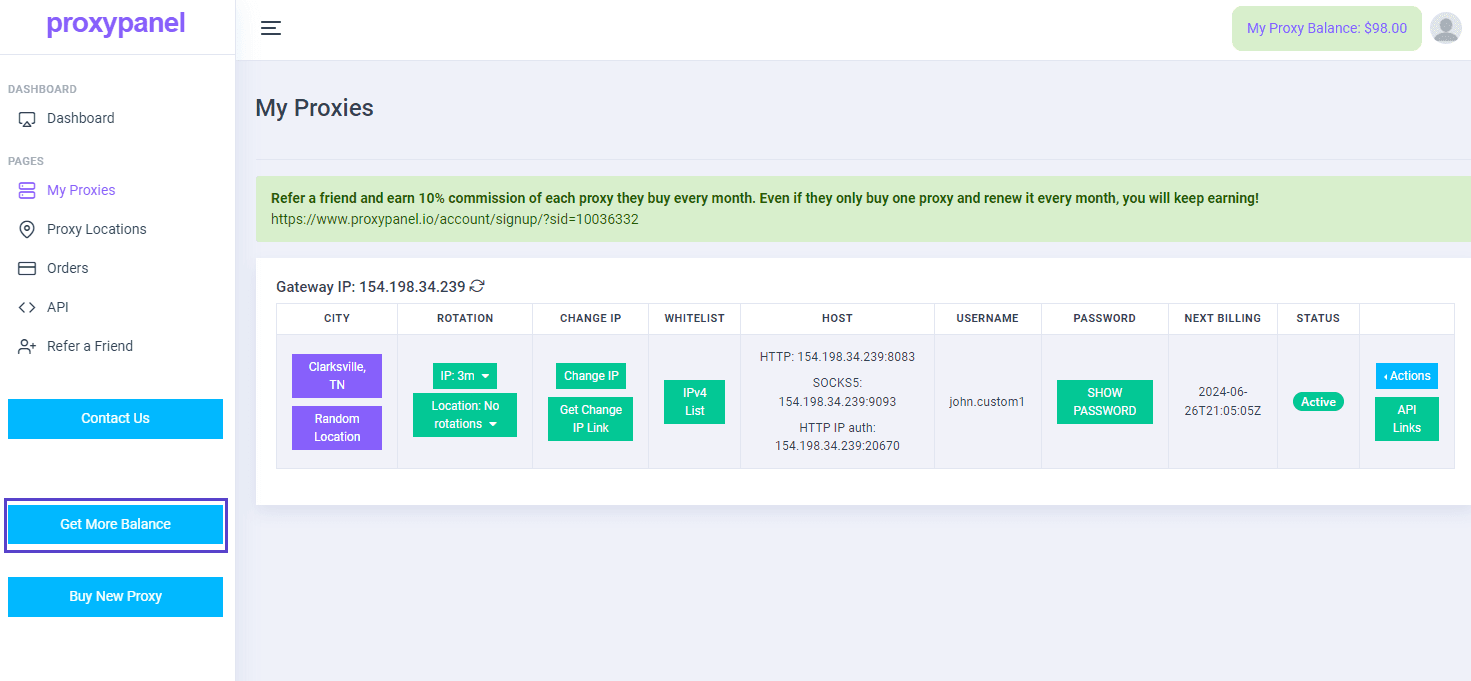
Select the amount you need to add to your account and choose the payment option you would like to use.
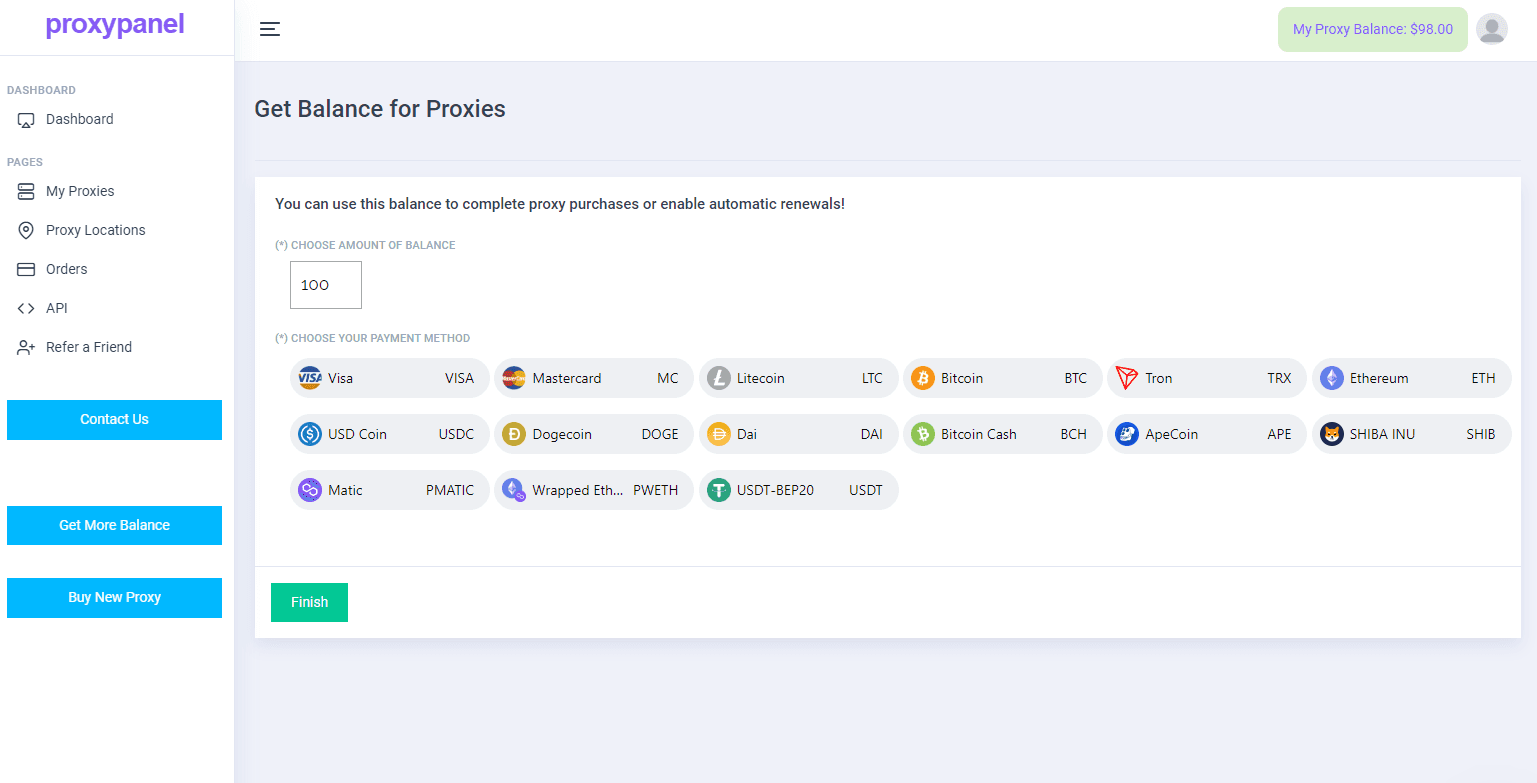
Click "Finish" and then proceed to complete your payment.
Buy Proxy Subscriptions Directly:
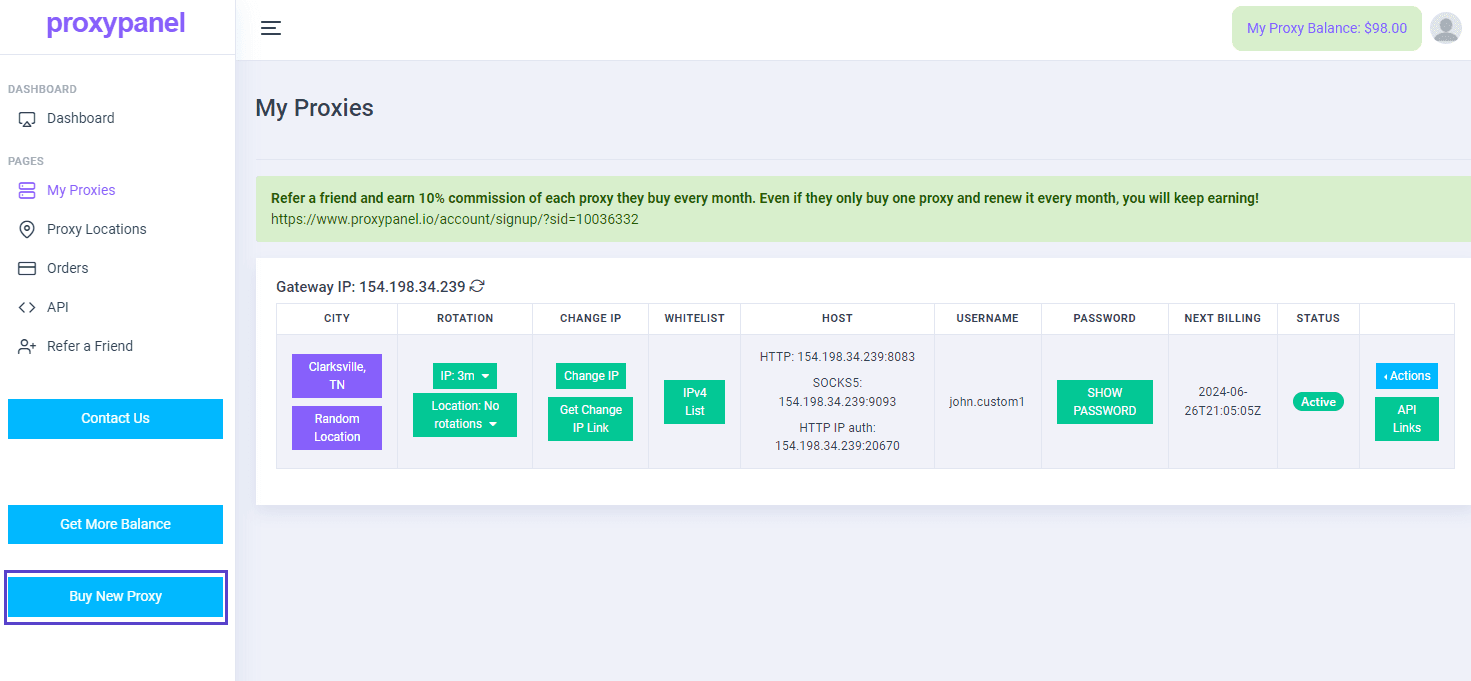
After signing in to your account, click on "Buy New Proxy" on the right side.
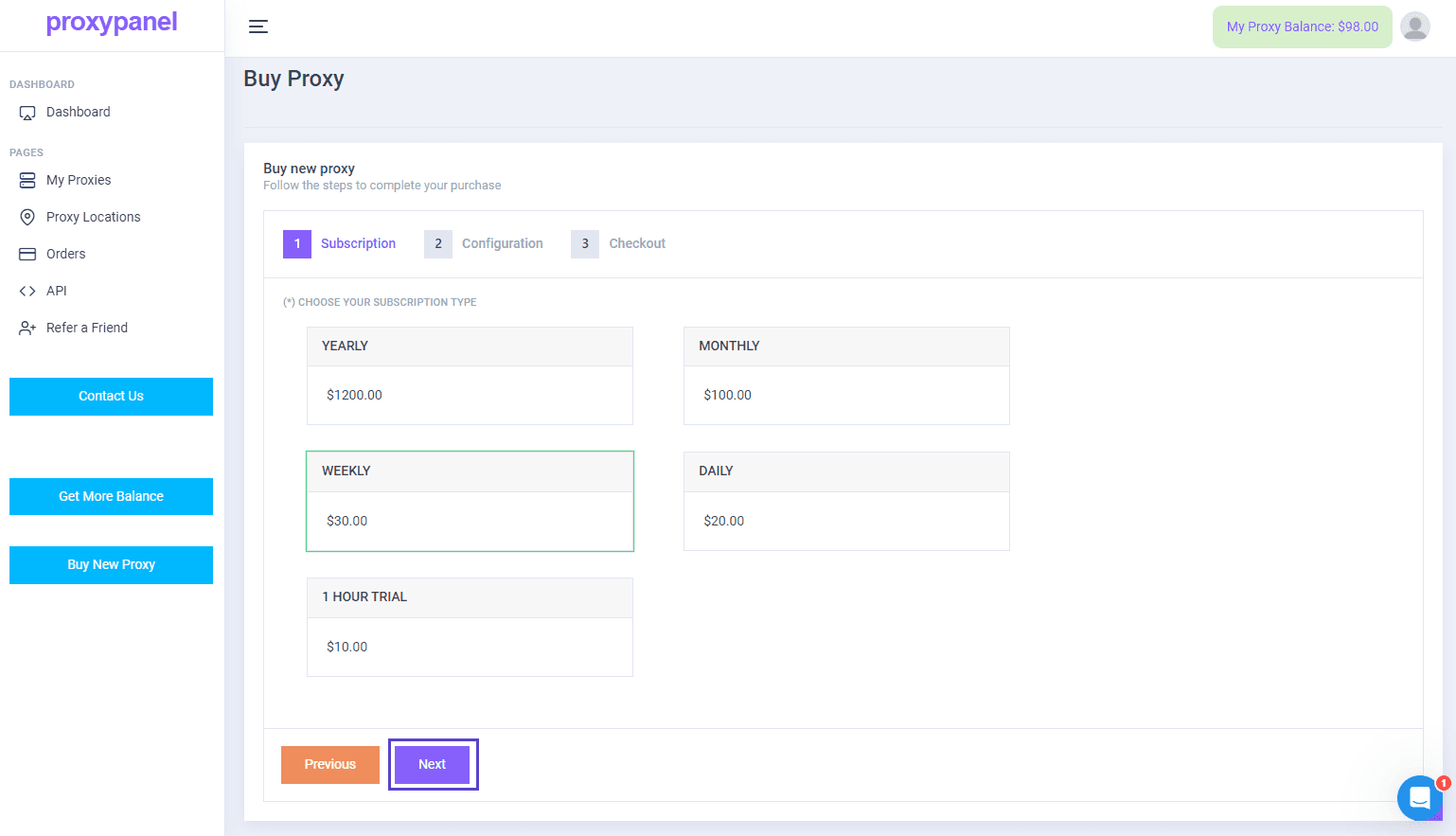
Select the subscription plan that best suits your needs, then proceed to the next step.
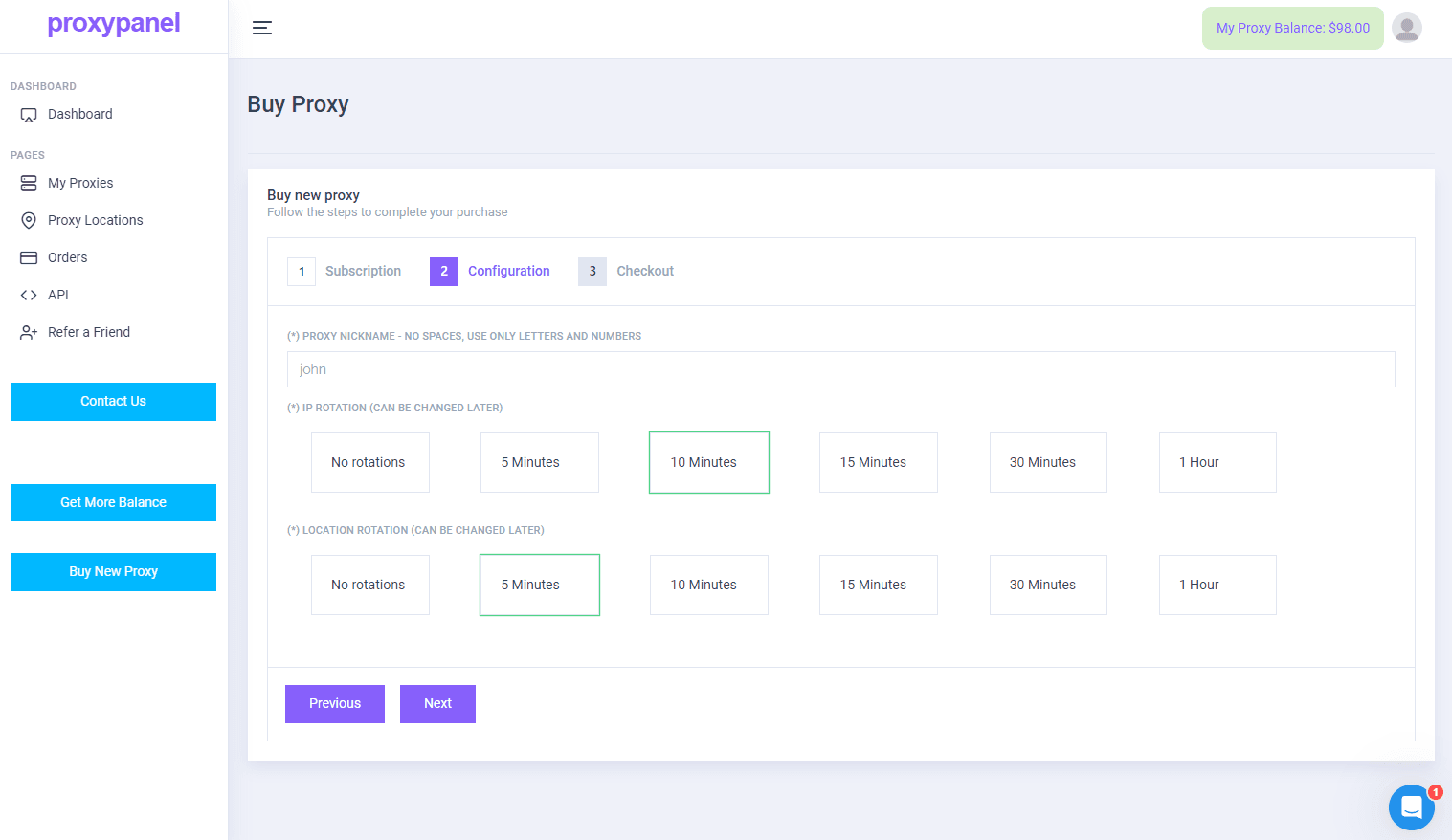
You need to set a nickname for your proxy, and then choose the IP and location rotation time, then proceed to the next step.
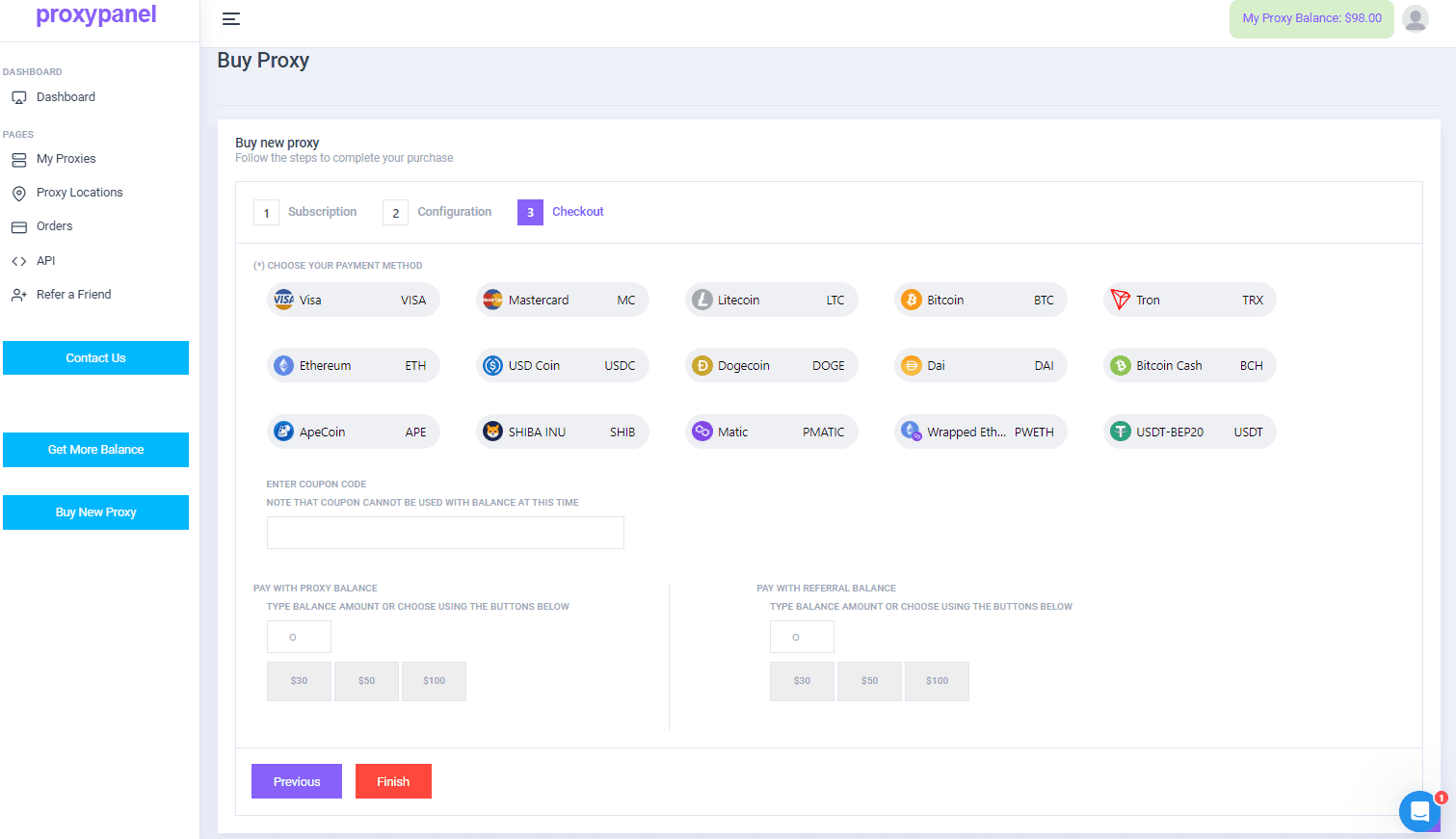
Select the payment option that suits you best. We offer various options including VISA, Mastercard, and alternative cryptocurrencies. Then, click "Finish" to proceed with your payment.